How to send Flexiload, Itopup etc online to Bangladesh
How to recharge mobile online for Bangladesh
This step by step process will show you how to recharge Grameenphone, Banglalink, Citycell, Roby, Airtel and teletalk mobile in Bangladesh. You can Flexiload, Itopup, Etopup, Ezeeload, Easyload and Telecharge online if you have a credit card or a paypal account.
Step 1: Select the language.
Please click on the top right hand corner to change language from English to Bangla or Bangla to English.
Step 2: Select mobile operator.
Please click on grameenphone, Banglalink, Citycell, Teletalk, Robi, Airtel or click on 'Buy Now'.
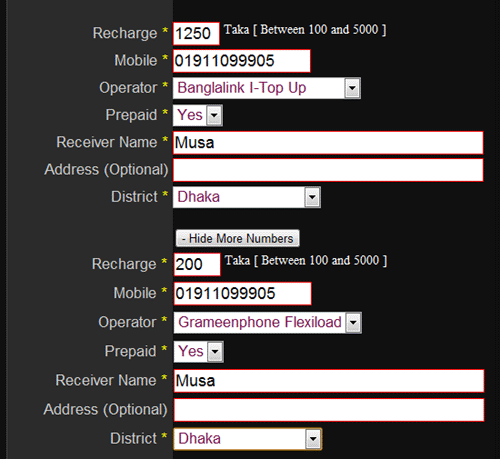
Step 3: Fill up product details.
Please fill up recharge amount, mobile number, receiver name and address and select district, operator and prepaid or postpaid.
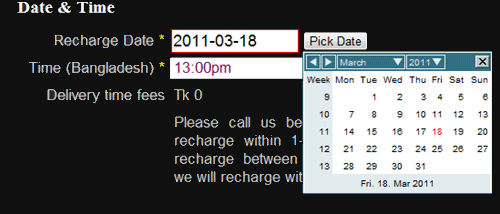
Step 4: Select recharge date and time.
Please click pick date and select recharge date. Click drop down menu to pick up time.
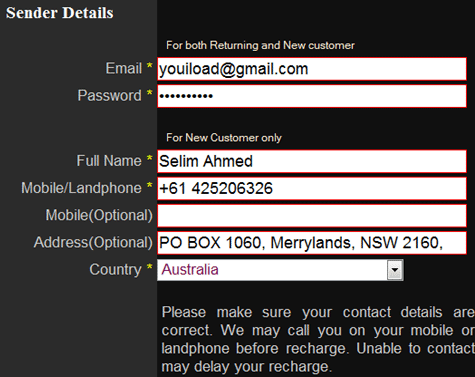
Step 5: Fill up your details.
For repeat customer, please fill up email and password only. For new customer, please fill up email, password, name, mobile/landphone, address
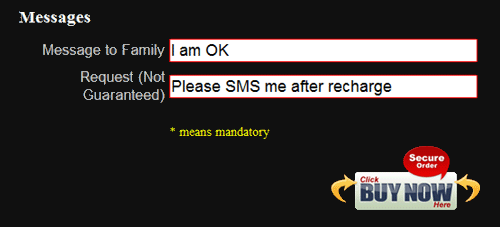
Step 6: Fill up your messages.
Fill up message(s) and click BUY NOW.
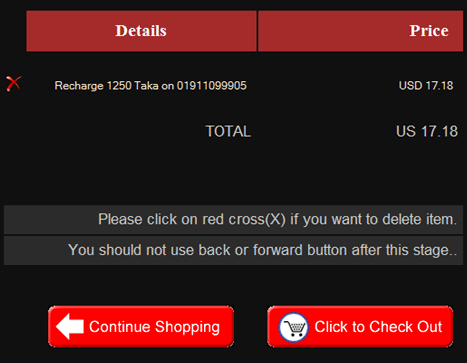
Step 7: Review and click to check out.
Please click (x) if you want to delete something. If you want to shop more then click continue shopping. Please do not use refesh, backward, and forward button after this point.
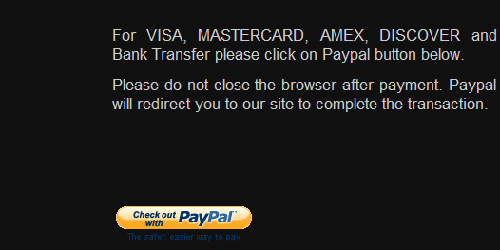
Step 8: Confirm order and click paypal.
Please click paypal button if you are happy to pay by your credit card. We do not store any credit card number. Please do not close your window after paying to paypal. It will redirect to us to complete the transaction.
Final Step: Confirm from YouiLoad.
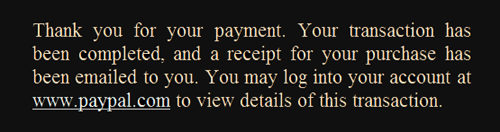
You should be redirect to this page if you successfully complete paypal payment and do not close window. Paypal will send confirmation email and redirect you to our site.
Please contact us if you do not see this page since it may delay order processing time.
Please click on Paypal Tutorial if you are not sure how to pay there.